Transferring Wikibase data between wikis
Learn how to import Wikibase items and properties from one with into another.
Transferring items and properties from one wiki to another is not that difficult if you know which steps to take. This post describes a 3 step process using the primary import/export mechanism of MediaWiki. This process retains your item and property IDs and (optionally) your revision history. It also works well between different versions of MediaWiki and Wikibase.
Step 1: create an XML dump
php maintenance/dumpBackup.php --full --quiet --filter=namespace:120,122 > wikibase.xml
This command needs to be run on the command line from the root directory of your wiki.
It creates a wikibase.xml file which we will need in step 2.
If you wish to only export items, remove 122 (the property namespace) and the comma.
Likewise, you can remove 120 (the item namespace) to only export properties.
To export all wiki content, including talk pages, remove --filter=namespace:120,122 from the
command. For more information, read the
dumpBackup.php documentation.
If you do not have access to the wikis server, you can get an XML dump via Special:Export.
Step 2: import the XML dump
Copy the wikibase.xml file to the root directory of the wiki where you wish to do the import.
Then run this command on the command line:
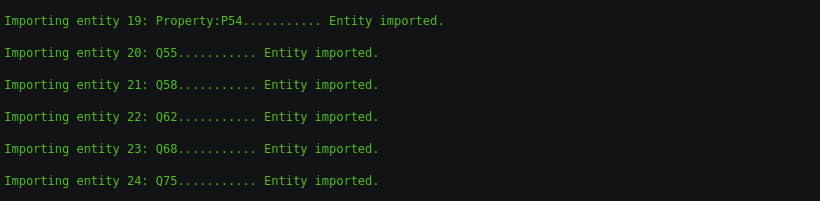
php maintenance/importDump.php < ../wikibase.xmlFor large imports, it will take a while for the script to finish. If it completes without an error it outputs “Done!”. Likely you will get the following error instead:
To avoid ID conflicts, the import of Wikibase entities is not supported. You can enable imports using the “allowEntityImport” setting.
This error is expected, as Wikibase by default, and for good reason, does not allow importing items and
properties. To temporarily enable such imports, add the following to the end of LocalSettings.php
and rerun the importDump.php command. After the command has run, disable imports again by removing
the line from LocalSettings.php.
$wgWBRepoSettings['allowEntityImport'] = true;For more information, read the MediaWiki XML import documentation.
Step 3: run rebuild scripts
Run these commands from the root directory of the wiki where you did the import:
php maintenance/rebuildall.php
php maintenance/runJobs.php
php maintenance/initSiteStats.php --update
Step 4: optionally enable entity creation
After the import, creating new items or properties via pages such as Special:NewItem will fail. This is because Wikibase will try to create Item:Q1, without realizing it already exists.
If that is an issue for your wiki, you will need to fix the values in the wb_id_counters table.
This can be done via a script we created.
First download the script to your wiki root directory. For instance with curl:
curl https://gist.githubusercontent.com/JeroenDeDauw/c86a5ab7e2771301eb506b246f1af7a6/raw/rebuildWikibaseIdCounters.sql -o rebuildWikibaseIdCounters.sqlThen execute it with
php maintenance/sql.php rebuildWikibaseIdCounters.sqlThe script might take a long time to run if you have many items.
Leave a comment with your experiences or questions below this post.
We provide many professional Wikibase services, including import/export.
- Use Wikidata and Wikibase with AI
- Chameleon 6: Now on Bootstrap 5
- Semantic MediaWiki 7.2.0 Released
- Native Markdown for MediaWiki
- Use Semantic MediaWiki with AI
- Semantic MediaWiki 7 Released
- Introducing NeoWiki and More at MUDCon
- MediaWiki Chatbot Extensions Compared
- Wikibase Faceted Search Released
- Semantic MediaWiki 5 Released
- Top Wikibase Extensions
- 2024 MediaWiki Conference Highlights
- Semantic Wikibase: 2024 Update
- We Partner with HalloWelt to Provide BlueSpice
- Semantic MediaWiki 4.2.0 Released
- Is Wikibase Right for Your Project?
- Sorting Wikibase Statements by Property
- New Extension: Wikibase Export
- Semantic MediaWiki 4.1.0 released
- Embedding External Content in MediaWiki
- Fast Bulk Import Into Wikibase
- SMWCon 2021
- WikidataCon 2021
- Deleting all Wikibase Items and/or Properties
- Restrict who can create items and properties
- Best Responsive MediaWiki Skins
- Medik MediaWiki Skin
- Happy 20th Anniversary Wikipedia
- Transferring Wikibase data between wikis
- Semantic MediaWiki 3.2
- Local Media Support for Wikibase
- Chameleon MediaWiki Skin
- Foreground MediaWiki Skin
- Pivot MediaWiki Skin
- Tweeki MediaWiki Skin
- Semantic Wikibase Released
- Visualizing Links Between Pages
- MediaWiki Survey
- SMW vs Wikibase vs Cargo
- Using Wikidata in Your Wiki
- Visual Map Editor for MediaWiki
- WikidataCon 2019 Berlin
- Installing Extensions with Composer
- SMWCon 2019 Paris