- Topic and outline
- Jeroen De Dauw and Claude
- Writing
- Claude
- Editing
- Jeroen De Dauw and Claude
Native Markdown for MediaWiki
Write wiki pages in Markdown, the widely used markup format and the native language of AI agents, with our new open-source MediaWiki extension.
We are proud to announce Native Markdown, a MediaWiki extension that makes Markdown a native content model. The content model determines the format in which MediaWiki stores and renders a page. So a Markdown page is not wikitext with some Markdown embedded inside of it. The whole page is Markdown, stored exactly as you typed it, and rendered as a real wiki page with working links, categories, templates, parser functions, a table of contents, and full-text search. Install it, and your wiki is a Markdown wiki: new pages default to Markdown everywhere, while any existing wikitext pages keep working.
The timing is no accident. Markdown is the format that AI assistants like Claude and ChatGPT read and write best.
A real wiki page
A Markdown page renders like any other wiki page, and the MediaWiki features you rely on continue to work.
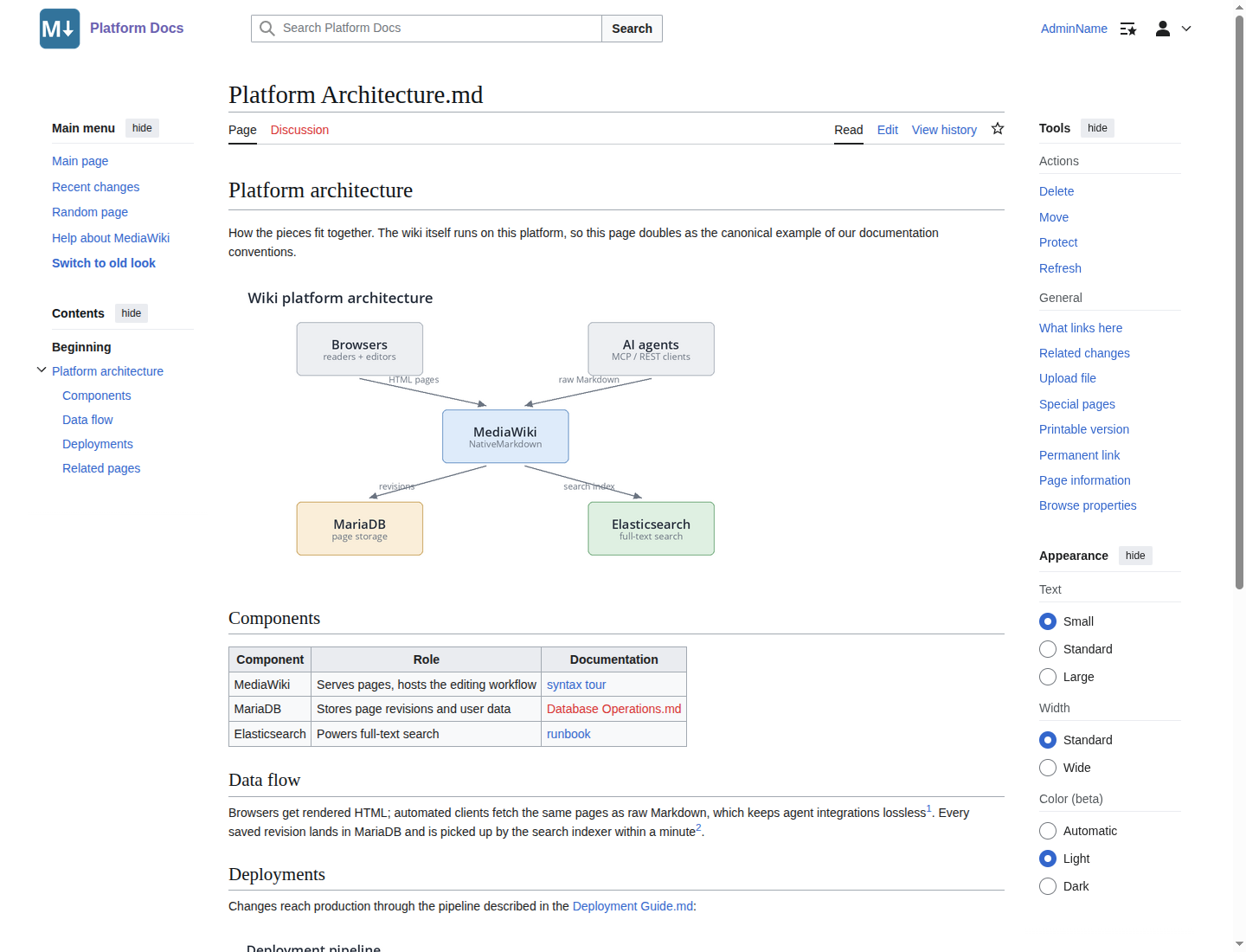
Wikitext link syntax works inside Markdown, with the semantics you know. [[Page]] gives you
a blue or red link depending on whether the page exists, and the link is tracked in
Special:WhatLinksHere. [[Category:X]] assigns a category, and
[[File:Diagram.png|300px|alt=Text|Caption]] embeds an image.
Your shared templates keep working. Infoboxes, navboxes, and citation templates transclude with the
usual {{...}} syntax, and a page re-renders whenever you edit a template it uses.
Parser functions and magic words work too. Wiki admins can disable them in Markdown pages.
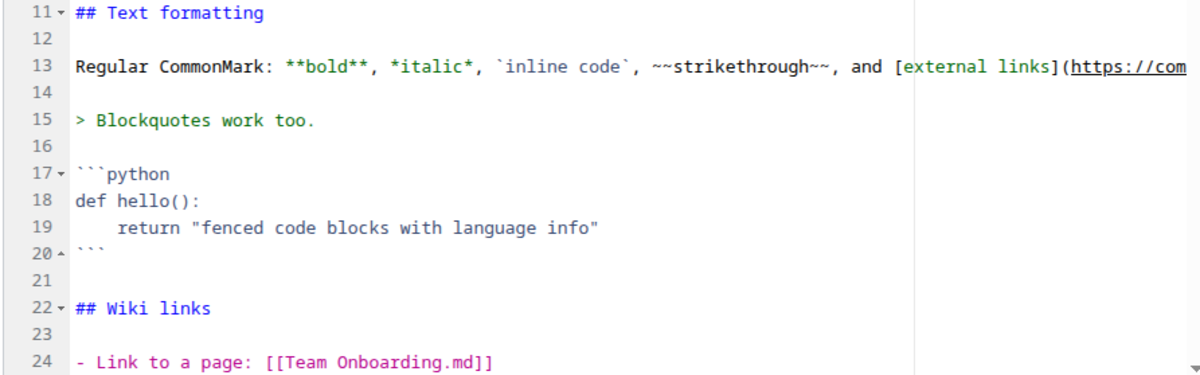
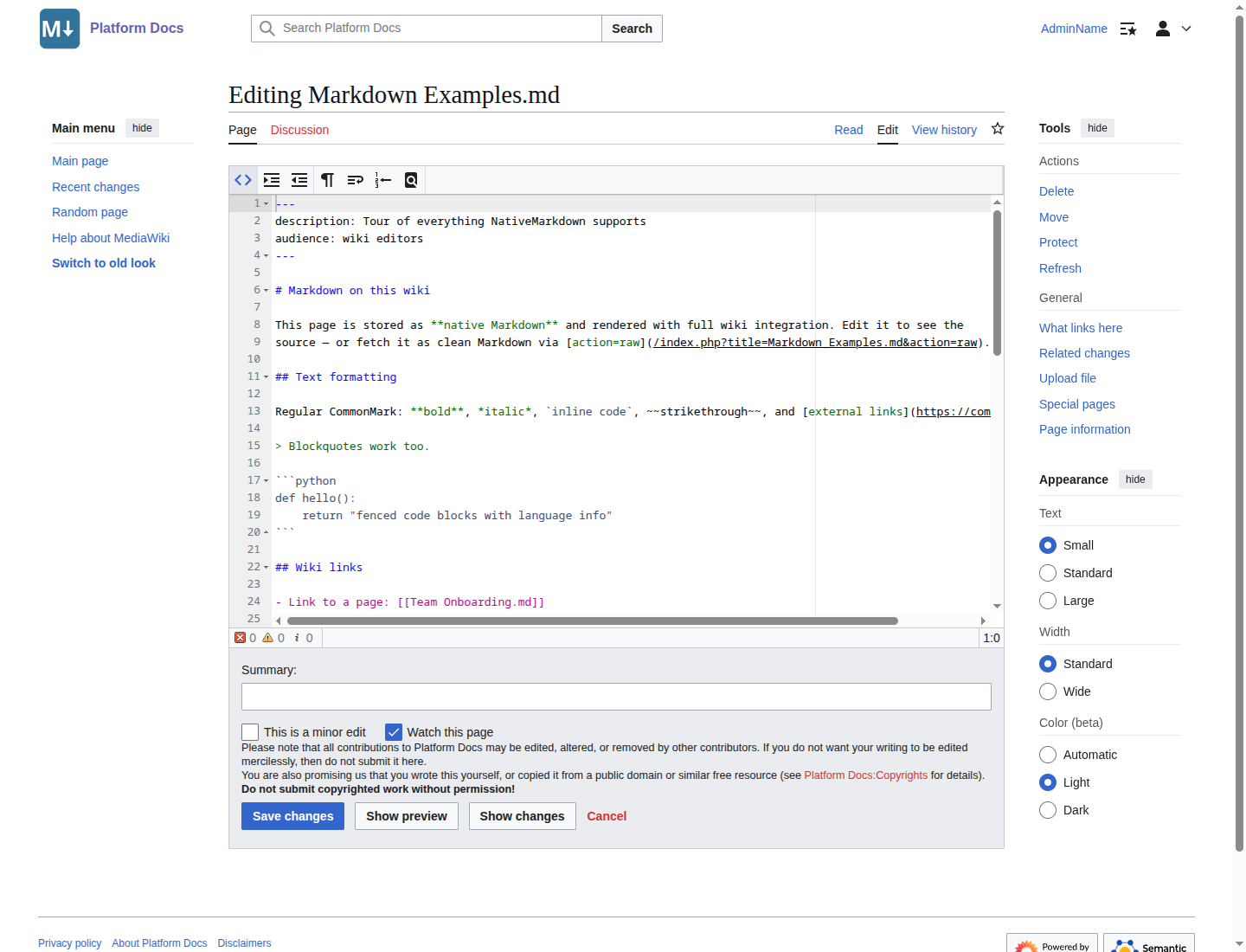
The Markdown flavor is CommonMark plus GitHub Flavored Markdown: tables, strikethrough, task lists, and autolinks, with footnotes on top. Tables are automatically styled as wikitables. YAML front matter is parsed, hidden from the rendered page, and stored as page metadata. Raw HTML is always escaped, so page content cannot inject scripts or other active HTML into your wiki.
You edit via the standard edit form. With the CodeEditor extension installed, you get Markdown syntax highlighting, and Show preview renders through the full pipeline. Diffs, history, undo, and page moves all work as expected.
Great for AI
For AI agents, the point is that the page source is plain Markdown and the wiki serves it unmodified.
Fetching a page with action=raw returns the source exactly as it was saved, front matter
and all. This is what an agent gets back from a documentation page on a wiki running Native Markdown:
---
version: 2.4.0
owner: Platform team
---

# Platform 2.4 release notes

This release focuses on deployment safety and documentation quality. Upgrade using the
[[Deployment Guide.md|deployment guide]].

## Upgrade checklist

- [x] Announce the maintenance window in #platform
- [x] Back up the database
- [ ] Run the search reindex job
The REST API reports the content model alongside the source, so an agent knows what kind of page it is
working with, and action=parse returns the rendered HTML when an agent wants resolved links
rather than the source. Writing works through the ordinary editing APIs, or more conveniently through
the MediaWiki MCP Server, the tool that lets AI assistants read
and edit your wiki. The agent hands over Markdown, and the wiki stores it verbatim. The round trip is
lossless. An agent can fetch a page, edit it, and write it back without the content drifting through a
wikitext translation. The same property makes Markdown pages a good fit for round-trips with git
repositories.
Clean search results
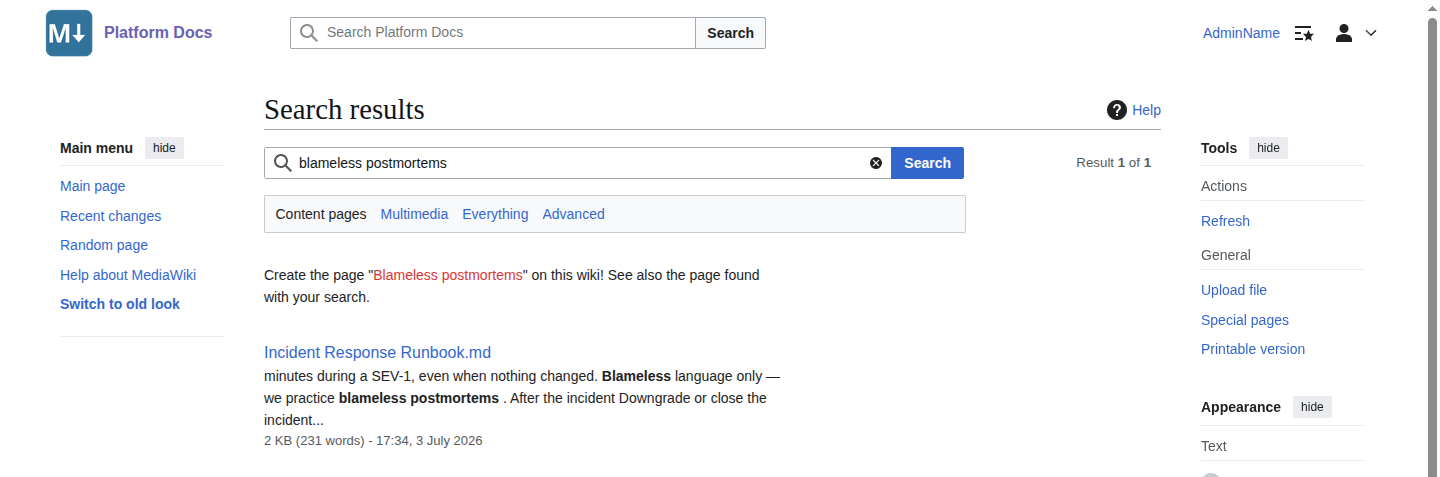
Full-text search indexes the rendered prose of a Markdown page rather than the raw markup, so keyword
lookups match what a reader sees. Search snippets are clean text instead of # and
** noise, and front matter stays out of the index.
Why we built it
Markdown support in MediaWiki has a long history of half measures. The furthest along is Extension:WikiMarkdown, which embeds Markdown blocks inside wikitext pages via a tag. Inside those blocks, there are no working wiki links, no category assignment, and no table of contents. It is also no longer maintained and does not work on current MediaWiki versions. Extension:Markdown is archived. We wanted the real thing: Markdown as a first-class content model, not a tag hack.
You might know our External Content extension, which embeds Markdown files from external sources such as GitHub into wikitext pages. The two are complementary. External Content brings outside Markdown into wikitext pages, while Native Markdown makes the wiki pages themselves Markdown.
What the first version does not do
We kept the first release focused on getting the content model itself right. Two MediaWiki editing conveniences are not there yet: there is no VisualEditor support, and no section editing.
If your editors rely on VisualEditor, wikitext remains the better model for those pages, and both models coexist on the same wiki, so you can choose per page. On the roadmap: mapping front matter to structured data such as Semantic MediaWiki properties, live preview and WYSIWYG editing, and import tooling for Obsidian vaults and git repositories.
Getting started
The first version of Native Markdown requires MediaWiki 1.43 or later and PHP 8.1 or later.
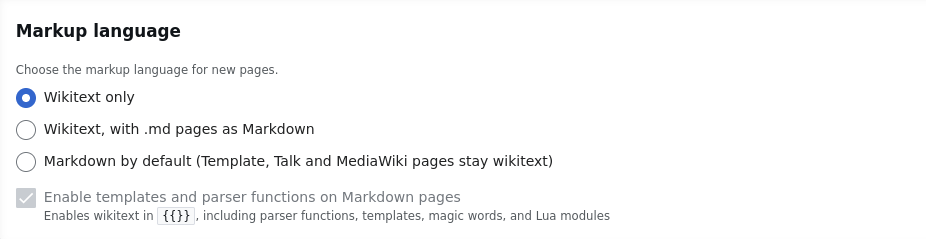
Once installed, new pages default to the Markdown content model everywhere (with some namespace-based exceptions). If you have any existing wikitext pages, they will continue to work as wikitext, and you have the option to switch them to the Markdown content model. The same applies in the other direction: if at any point you wish to switch from Markdown to wikitext, you can do so gradually.
If you would rather keep wikitext as the default, or offer Markdown only in specific namespaces, you
can achieve this with a one-line configuration change. You can also let users decide via the optional
.md suffix mechanism, which is disabled by default.
When enabled, new pages whose title ends in .md default to
Markdown, so the two models can mix freely even where wikitext is the default.
Installation instructions, configuration options, and the full documentation are on the Native Markdown extension page.
Get started quickly with Native Markdown via our managed MediaWiki hosting.
Open source
Native Markdown is free and open-source software developed by Professional Wiki, released under the GNU GPL v2 or later. We built it test-first: the Markdown pipeline is covered by a large automated test suite that also runs standalone without a MediaWiki installation, and continuous integration covers the supported MediaWiki and PHP versions. Contributions are welcome!
Professional services
Native Markdown is developed and maintained by Professional Wiki. We offer MediaWiki hosting, MediaWiki development, and help with bringing AI to your wiki. Get in touch if you want to use Markdown or AI agents together with your wiki.
See also
- Embedding External Content in MediaWiki, the announcement of our extension for embedding Markdown from GitHub and other sources.
- Installing MediaWiki Extensions with Composer, our guide to installing and upgrading extensions with Composer, the way Native Markdown is installed.
- Use Semantic MediaWiki with AI, on connecting AI assistants to your structured data via the MediaWiki MCP Server.